
UC Browser-Safe, Fast, Private APK
by UCWeb Singapore Pte. Ltd. • Communication
UC Browser-Safe, Fast, Private APK Details
UC Browser-Safe, Fast, Private Screenshots
Preview the UC Browser-Safe, Fast, Private interface before downloading.


What is UC Browser-Safe, Fast, Private?
🌏Fast VPN | 🔍AI Search |🎬Video downloader |☁️ ️UC Drive
🔐Private Browser & Security Online
Protect your IP and traffic with our private browsing mode. As a secure browser, UC Browser ensures your online activity remains private. Use the fast VPN to encrypt data and keep you safe while accessing the global internet with enhanced security.
🎬Video Downloader & Offline Streaming
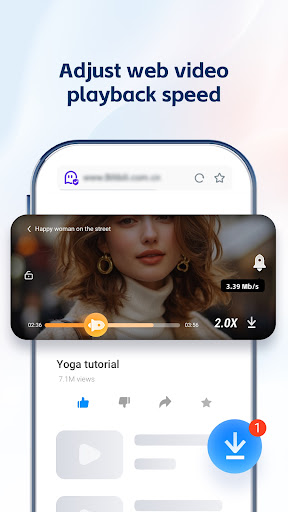
Enjoy the video player, this feature saves time and data, perfect for your mobile life on the go.
🚫 Ad Blocker for Fast Performance
Activate the ad blocker to remove web ads and pop-ups. By blocking distractions, you enjoy seamless, safe navigation and reduced load time while browsing sites and apps within the web browser
🔍 Smart Search with AI & GPT
Our advanced search engine helps you find videos, news instantly. Whether you need to translate documents, locate specific conten, GPT makes your internet exploration efficient.
🌐 Translate & Global Access
Break language barriers with built-in translate tools supporting multi-language AI and chat more effectively with others. Gain seamless access to global content, including websites, emails, and more, converting text in real-time for a smoother browser experience.
📁 UC Drive: Cloud Storage for Videos
Store your videos in 20GB cloud storage via UC Drive. View and manage your uploaded videos.
⚡ Why Choose UC Browser?
Fast VPN: Secure your IP, keep you safe, and browse private.
Ad Blocker: Fast loading without interruptions.
Downloader: We support downloading files in formats such as ZIP, APK, and PDF.
Free & Fast: Enjoy a fast and free internet browser, available on Play Store.
Regular Updates: Stay ahead with the latest improvements and new features
📞 Support & Assistance
In the event of issues, please follow the steps below for immediate assistance:Open the Application and navigate to Menu → Feedback. Submit your inquiry via the integrated feedback system.
Alternatively, contact us directly through the official channels listed below.
● Official Website: https://ucweb.com
● Facebook: http://www.facebook.com/ucbrowserindonesia
● X: https://twitter.com/ucbrowserindo
● YouTube: http://www.youtube.com/ucwebvideo
Key Features of UC Browser-Safe, Fast, Private APK
- ✅ 100% Free — Download and use UC Browser-Safe, Fast, Private at no cost
- 📦 Lightweight — Only Varies with device download size
- ⭐ Highly Rated — 4.4/5 stars from millions of users
- 📲 Trusted — Over 1,000,000,000+ downloads worldwide
- 🔒 Safe & Verified — APK signature verified against official release
- ⚡ Fast Install — Simple one-tap installation on Android
How to Download & Install UC Browser-Safe, Fast, Private APK on Android
- Click the Download APK button above to get the latest UC Browser-Safe, Fast, Private APK file.
- On your Android phone, open Settings → Security and turn on "Install from Unknown Sources".
- Open your file manager and go to your Downloads folder. Find the file
com.UCMobile.intl.apk. - Tap the APK file and hit Install. The process takes only a few seconds.
- Open UC Browser-Safe, Fast, Private from your app drawer and start using it!
What's New in UC Browser-Safe, Fast, Private
Frequently Asked Questions about UC Browser-Safe, Fast, Private APK
About the Developer
Developer: UCWeb Singapore Pte. Ltd.
Contact: [email protected]
Website: https://m.ucweb.com
Privacy Policy: View Privacy Policy
Download UC Browser-Safe, Fast, Private APK for Android — Free
Version • Varies with device • Android • Free
Last updated:
Safe & verified APK • No malware • Signature checked
